

Without Instagram analytics, it can be hard to tell what’s working and what needs improvement. You can use analytics to determine which posts are your followers’ favorites, when your followers are active, and which Reels are gaining new viewers. The good data enables you to see what posts your followers are enjoying, when they’re online and what Reels attract new audiences.
Instagram as one of the Professional Network Platforms worldwide provides a free dashboard, but this just displays your own account, and there’s not much history on the dashboard. Many creators, brands and agencies like to add a second tool for this reason. The right choice can let you know how the competitors are doing, generate reports for your clients and save your numbers for a year or more. There is also a wide range of prices, ranging from free up to over $400 per month.
This guide lists and compares 12 Instagram Analytics tools (both free and paid). An overview, features, plus and minuses, pricing and a link to the website will be provided for each tool. These prices are based on information that is available to the public and the actual plan and rates will be determined upon purchase from the official websites and may change.
Quick Answer: What Is the Best Instagram Analytics Tool?
There is no one size fits all Instagram analytics tool. Instagram Insights is a useful tool for novices since it is complimentary and incorporated into Instagram for qualifying expert accounts. For competitor tracking, then, you should consider Metricool, while brands and agencies can take advantage of a tool that has more advanced reporting capabilities. Metricool is a good option if you’re looking for a free plan, and you’re interested in seeing the competition.
Of the paid Instagram Analytics Tools, Iconosquare is a good option for brands, while Socialinsider and Rival IQ are ideal for in-depth competitor analysis. While more expensive than other options per user, Agorapulse or Sprout Social are better options for agencies with multiple clients.
In case you have a restricted budget and desire to primarily plan your feed, You can use Planoly, Later, Buffer and Pallyy which are easy to learn and inexpensive. Look at the entire list down below and for each of the items you want to do, match a tool to it on the checklist. The prices in this guide are given in US dollars and euros, with a (provisional) rupee equivalent (in the pricing table) with which you can organize your budget in your own currency.
Instagram Analytics Tools at a Glance
| Name | Best For | Free Tier | Pricing |
| Instagram Insights | Beginners and small accounts | Yes, fully free | Free |
| Iconosquare | Brands and benchmarking | Trial, limited free plan | From €33/month |
| Sprout Social | Large teams and reports | 30-day trial | From $79/seat/month |
| Hootsuite | Teams on many networks | No | From $99/user/month |
| Later | Visual planning | No permanent plan | From $25/month |
| Buffer | Simple posting and basics | Yes, 3 channels | From $5/channel/month |
| Metricool | Free competitor tracking | Yes, 1 brand | From $20/month |
| Socialinsider | Competitor benchmarking | Free trial | From $83/month |
| Agorapulse | Agencies and inbox work | Free trial only | From $79/user/month |
| Planoly | Creators and feed grid | No | From $16/month |
| Rival IQ | Deep competitor research | 14-day trial | From $239/month |
| Pallyy | Low-cost freelancers | Yes, 1 social set | From $15/month |
What Instagram’s Built-In Insights Already Show (and What They Miss)
Instagram Insights is only available for Business and Creator accounts. Displays reach, views, likes, comments, who shared it, saved it, grew their followers and audience statistics such as age, city and active hours. Instagram’s interface and analytics tools are updated periodically. If you’re talking about change that happened in April 2026, make sure to check with the official announcement from Instagram or Meta. If true, provide a brief description of the new metric(s) or dashboard feature(s) that have been added, and how creators can leverage them.
The number of raw data is almost the same with all the Instagram Analytics Tools, since they are connected to Instagram’s official data. This means that you’re not using a different type of data than you would with a paid tool. You’re figuring out a better way to see, store and compare it!
The shortcomings of the inbuilt dashboard are very evident. It doesn’t display information about competitors, there’s a limited history, and few export options. It also doesn’t have the ability to create branded reports for clients or make a lot of comparisons in one sit. To use demographic data, you must have at least 100 followers. It’s because of those gaps that people are interested in paid ones.
12 Best Instagram Analytics Tools for 2027
1. Instagram Insights
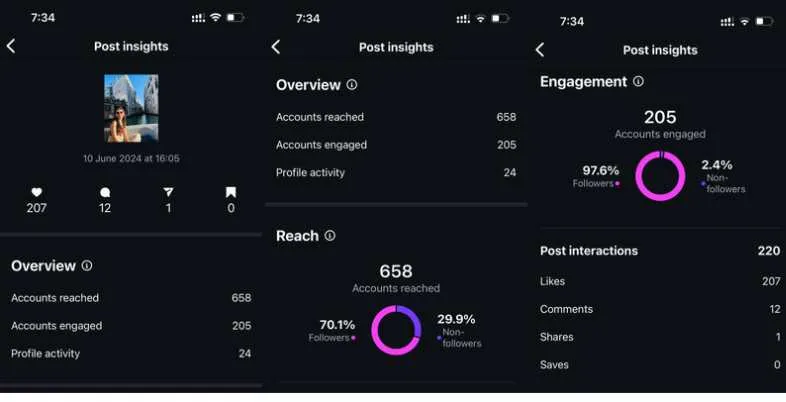
In addition to the Instagram app, there’s an Instagram Insights dashboard, which is free. It is available for Business and Creator accounts; in order to use it, you must first change your account from a Personal to a Business or Creator account. Switching has been free and only takes about 1 minute. Once that’s done, you will be able to view reach, views, likes, comments, shares, saves and followers growth. You also receive information about your audience like their age, gender, city and their most popular time of the day. Share rate and skip rate for posts and Reels were added with the update.
Instagram Insights’ best features are that it is free, and that it offers statistics from Instagram itself. However, it isn’t as powerful as some third-party offerings when it comes to analytics and reporting. No competitor analytics, and historical data and export options may be insufficient to meet users’ detailed reporting requirements.This is a starting point for many; once they know the basics, they go to a paid tool if they want more history, more reports or competitors. It does not cost a penny and can be a good way to find out what is effective, if you’re only posting a couple of times per week.
It is a great practice to time check Insights each week to record three numbers: reach, saves and shares. People that have received a lot of saves and shares tend to indicate that they found a post useful. Those notes will give you an indication of what topics to repeat and what topics to drop over a period of a month. The audience tab is another option that allows you to choose the best times to post before investing in other aspects.
Key Features
- Reach and views data
- Audience age and city
- Reels and post metrics
- Follower growth tracking
Pros
- Completely free
- Official Instagram data
- Easy to start
Cons
- No competitor data
- Short data history
- Limited export options
Pricing: Free
Website: https://www.instagram.com
2. Iconosquare
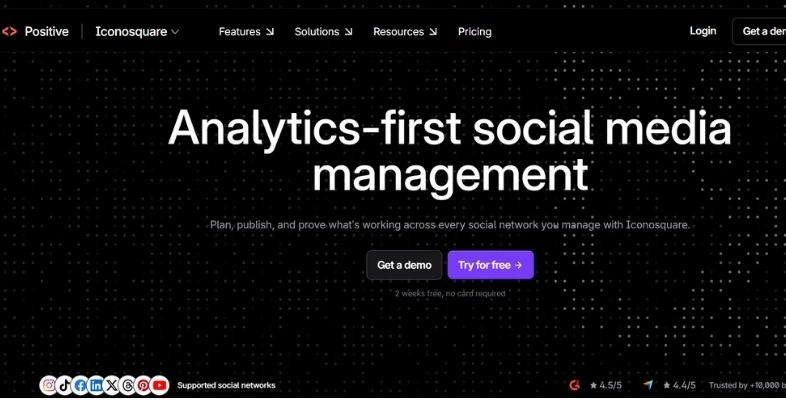
It’s a social media solution built with the analytics in mind, Iconosquare. It includes Instagram, Facebook, TikTok and LinkedIn, X, Pinterest, YouTube and Threads for easy access to all your accounts. You receive reports about posts, Reels, Stories and followers and benchmarking will provide you with insight into how you’re doing compared to other accounts in your industry. Also, it enables you to set posts and view the competitions. Reports can be saved and shared, to show results to a boss or a client.
Iconosquare’s Launch plan is priced at €33/month, billed annually. There are 5 social profiles, 1 user and 100 posts/month for this plan listed in the article. Advanced plans provide extra capabilities and storage. It’s possible for pricing to be different depending on the type of billing (annual/monthly) so you should check out Iconosquare’s official pricing page to verify the current pricing, plan names, plan limits, and pricing before you publish.A 14-day trial period and some sources even mention a free trial plan (which you can use to a certain amount, most likely).
It’s ideal for small brands more focused on the numbers than the features. Take a look at your accounts before signing up, as there’s only five profiles in the plan. The custom plan could be necessary for agencies that have lots of customers. Do take the 14-day trial seriously: 1) connect to your actual account, 2) go to the benchmark view and 3) determine if your boss or client is expecting a report format that is displayed here every month.
Key Features
- In-depth Instagram analytics
- Competitor and benchmark reports
- Post scheduling tools
- Shareable PDF reports
Pros
- Deep analytics data
- Fair mid-range price
- Clear reporting
Cons
- Only 5 profiles included
- Extra users cost more
- Priced in euros
Pricing: Starts at $10/month
Website: https://www.iconosquare.com
3. Sprout Social
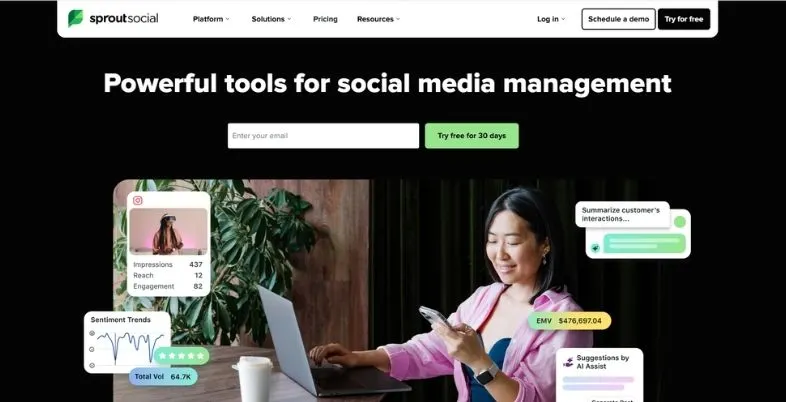
Sprout Social is a complete social media solution designed for teams and bigger brands. Provides you with a common box, planning, approvals and detailed reports for Instagram and other networks. It reports cleanly and it’s easy to present reports to managers, and you can view post results, audience growth and team response times. Sprout is ideal for multiple users working on the same accounts, where they require a single source of planning, answering and evaluating performance.
Prices are for each user. Sprout Social has tiered pricing available, depending on the plan and how often you pay. Essentials is $79 per seat per month at an annual price with higher tier plans costing more. Plan names and pricing can change at any time so check the current tiers and rates on Sprout Social’s pricing page before publishing. Be aware of per-seat pricing that can add up the costs when teams have more than one user. The monthly payments are approximately 25-33 per cent more. The main plans have a 30-day free trial. Some tools like deep social listening may be sold as premium add-ons and hence the final cost may be more than initially quoted.
If you’re only looking for Instagram reports, you may want to consider if you will be using the inbox and approval features. If you are going to pay a lot of money, it is important to figure out exactly how many seats you’ll need in a small group of two or three before you get there. A few review sites also note a nonprofit discount, which could be useful for you if you are a nonprofit.
Key Features
- Smart shared inbox
- Detailed performance reports
- Team approval workflows
- Scheduling and publishing
Pros
- Polished, clear reports
- Strong team tools
- Free 30-day trial
Cons
- Expensive per seat
- Listening costs extra
- No free plan
Pricing: From seventy-nine dollars monthly.
Website: https://sproutsocial.com
4. Hootsuite
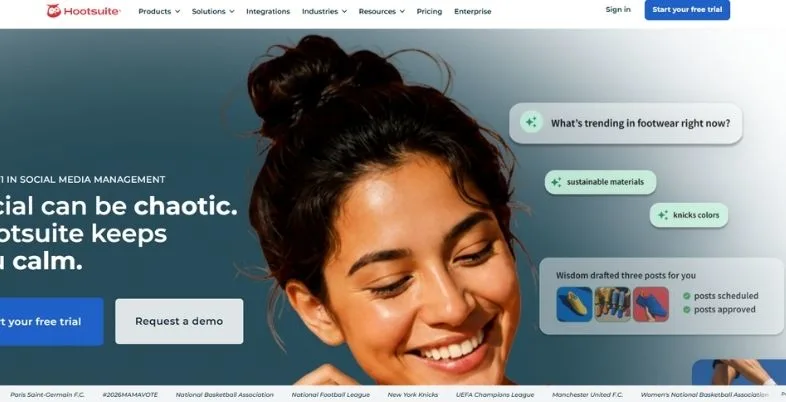
Hootsuite is among the most vintage social media management software companies. It features scheduling options, reply to comments and messages, and tracking features across Instagram, Facebook, LinkedIn, X, TikTok and more. The analytics section will display performance of your posts, growth of your audience and best times to post, and you can create custom analytics reports. It is favored by large teams due to its approvals, roles and a centralized management of numerous accounts.
As of this writing, there is no free plan for Hootsuite. In 2026, reviews indicate that the Standard plan costs $99/month/user, the Advanced plan costs $249/month/user, and Enterprise is on a custom quote. A few guides now have a Professional tier, so be sure to look at the live page. The rates quoted are per year billing, and increase in price for each additional user. Works well for companies with a team and budget, but may be burdensome for an individual.
The next item to look at is the billing style. The annual rates are displayed in Hootsuite and may increase in the monthly price. If you have multiple accounts, request a demo as the staff will change which accounts are visible and who will approve posts. Depending on the type of report, smaller creators may be able to access similar basic reports using cheaper tools in this list.
Key Features
- Multi-network scheduling
- Custom analytics reports
- Team roles and approvals
- Best time suggestions
Pros
- Supports many networks
- Good for teams
- Well known brand
Cons
- No free plan
- Priced per user
- Costly for solo creators
Pricing: Starts at $99 monthly
Website: https://www.hootsuite.com
5. Later
Later became an Instagram planner and continues to be cherished for its visual content calendar. Create posts and drag and drop them to view how they will look across Instagram, TikTok, Facebook, Pinterest, LinkedIn and more, then schedule. Its analytics provide insight into post performance, follower growth and what types of posts perform well. The more time that elapses on the higher plan, the more you will be able to go back and see your data, which can prove helpful for comparisons with last year’s data.
Later makes plans by social sets. A social set is a set of profiles for one brand. Starter is $25 per month, and comes with 1 social set and 1 user. Growth is $50 per month and Scale is $110 per month when billed by the month; there is about a 25 percent discount when billed annually. The analytics history is 3 months, 1 year or 2 years (based on the plan selected) and the higher-tiered plans also include advanced analytics.
Creators and small brands looking for looks and planning will find it a good option. It is advisable to check the post limit – which is lower on the Starter plan than on the higher plans – before purchase. If you have more than one brand, make sure to factor in the social sets required – with each additional set comes an additional expense. The annual one costs about a quarter as much, so if you know you can use the tool, it’s worth it.
Key Features
- Visual drag-drop calendar
- Instagram grid preview
- Post performance reports
- Longer analytics history
Pros
- Easy to learn
- Great visual planning
- Reports improve on higher plans
Cons
- Entry plan is basic
- Social set limits
- Add-ons cost extra
Pricing: Starts at $25 monthly.
Website: https://later.com
6. Buffer
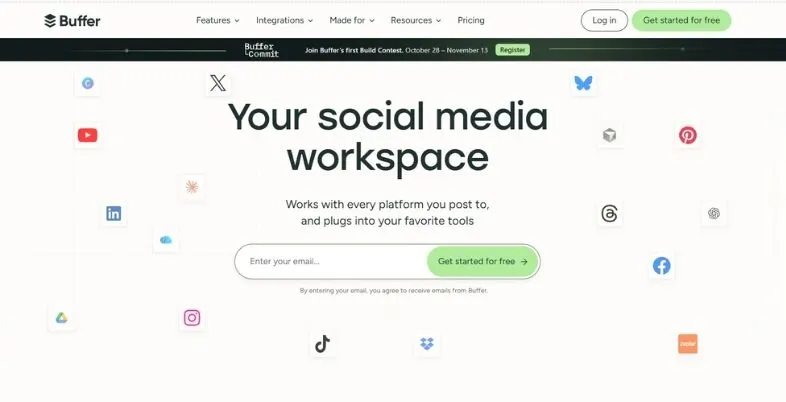
Buffer is a name that is synonymous with simplicity. You log in your accounts, compose posts and schedule them all on a clean screen. It also provides you with elementary analytics of Instagram to view what posts received the most likes, comments and reach. It has no “learning curve” so that it is very popular with solo creators, small shops and new marketers who don’t want a “heavy tool”.
Buffer is a free app that allows you to publish up to three channels. It offers paid plans based on per channel pricing where the price of the plan depends on the billing periods. Please refer to Buffer’s official pricing page for precise pricing details, and make it clear before publishing whether the pricing is for a monthly or yearly subscription. Check if there are additional channels that get discount rates.
If you want posting in a simple way you can use Basic Numbers but if you want to do deep research on your competitor, you will not want to use Buffer. A free plan is a good option for many creators to help develop the habit of publishing on schedule. Having to have a fourth channel will require you to pay for all four channels, so be sure to plan ahead. The per-channel model is easy to understand, and it is suitable for those who have only a few profiles to manage, and require a clear monthly cost.
Key Features
- Simple post scheduling
- Basic Instagram analytics
- Free plan available
- Per-channel pricing
Pros
- Very easy to use
- Real free plan
- Low starting cost
Cons
- Lighter analytics depth
- Cost grows per channel
- No deep competitor tools
Pricing: Free to $10+
Website: https://buffer.com
7. Metricool
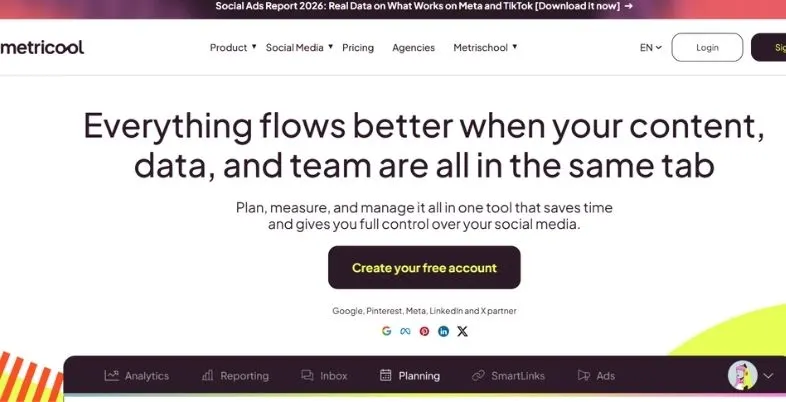
Metricool is an analytical tool from Spain with one of the best free plans here. The free plan includes 1 brand, 20 posts per month, 5 competitor profiles, 30 days of analytics history and an AI assistant. That’s uncommon, as most of the tools restrict competitor tracking to a paid plan. You can view the Instagram posts, Reels, Stories, hashtags and best posting times, and include ads reports if you are running ads campaigns.
The free plan is capped at a couple of restrictions. It doesn’t link to LinkedIn or X and history is limited to 30 days. There are paid plans beginning at Starter (approx. $20/month or €16/month on a yearly subscription). Advanced costs approximately $50 per month and is available for up to 50 brands, with Custom plans available for larger groups. The paid add-on Connections X is available for connecting.
Metricool is a great choice for creators, small shops and freelancers who don’t want to pay a high price for powerful numbers. One smart use of it is to begin the free course for the initial 14 days and observe the competitor list closely, and then you’ll observe that it is pretty short. For additional brands, additional history or LinkedIn reports, you need to go to Starter. Costs are quoted in the form of ‘without tax’ – please factor in VAT or GST in your budget and some extras are in addition to the basic plan.
Key Features
- Free competitor tracking
- Instagram Reels reports
- Ads and organic reports
- AI assistant included
Pros
- Generous free plan
- Low paid pricing
- Strong analytics
Cons
- Free plan skips LinkedIn
- X costs extra
- Short free history
Pricing: Free to paid plans
Website: https://metricool.com
8. Socialinsider
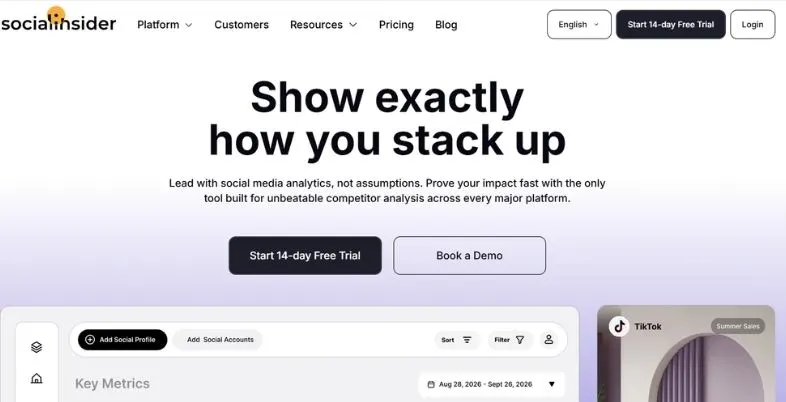
Socialinsider is a product that is designed to be used for benchmarking, and competitor research. It will allow you to add your own Instagram profile and your competitors, and it will display their followers, engagement, posting frequency and content type. You can view a comparison of your ranking with an industry group. Its reports are designed for marketers that have to report to a boss or a client and the data dates back a long time, allowing you to see long-term trends.
Socialinsider is no posting tool. It’s all about analytics and reporting. The Social Media Manager plan costs $99 per month or $83 per month when billed annually and the Agency plan has a cost of $199 per month or $166 annually. For larger companies a custom Enterprise quote is available. There is a free trial! It’s more expensive than simple tools, but if you are looking for analytics for competitor research, it may be worth the price.
It’s best used once monthly when you’re sitting down to make your plan for the next go-round. Check the benchmark report and compare the most popular post types with your competitors, and how they engage with their posts against your posts. The exported charts can then be used in client meetings as the visuals are clear and don’t require additional effort from the team.
Key Features
- Competitor benchmarking reports
- Industry comparison data
- Content type analysis
- Client-ready reporting
Pros
- Excellent competitor insight
- Long data history
- Clear reports
Cons
- No post scheduling
- Higher monthly price
- No free plan
Pricing: Starts at $83 monthly
Website: https://www.socialinsider.io
9. Agorapulse
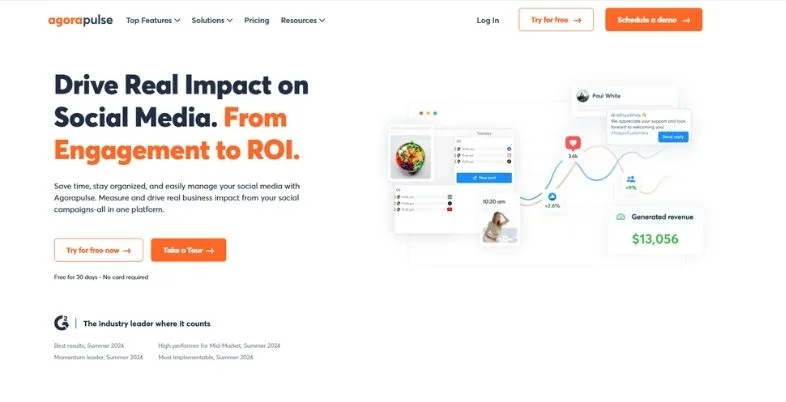
Agencies and customer support teams love Agorapulse. It consolidates comments, messages and mentions into one inbox, ensuring no responses are missed. It also features higher-level social listening, approval flows, reports you can brand, and scheduling. The Instagram reports will display post results, as well as follower growth and your team’s response speed to messages.
Agorapulse is a user-based pricing system. Standard: $79.00 per user per month (on an annual contract) or $99.00 per month (on a monthly contract). Professional: $119/month/user, Advanced: $149/month/user; Custom plan available. Each plan comes with 10 social profiles, with additional profiles charging $10 per month. The free plan has been discontinued and now there is a free trial only. For a large team, the seat price mounts up quickly, but agencies may feel it’s worthwhile with their inbox and reports.
Once you know how many people you’re going to need, you can count your team to see if it’s worth it to go with the full seat rate, or if hiring just one or two people would be enough. Additionally, older plans will be retired during 2026 and an old account might be transitioned to the new pricing by e-mail. It’s a great opportunity to try out your inbox with actual comments and observe how quickly your team can respond.
Key Features
- Unified social inbox
- White-label client reports
- Approval workflows
- Social listening options
Pros
- Great for agencies
- Strong inbox tools
- Good reporting
Cons
- Free plan removed
- Per-user pricing
- Extra profiles cost more
Pricing: Starts at $79/user/month
Website: https://www.agorapulse.com
10. Planoly
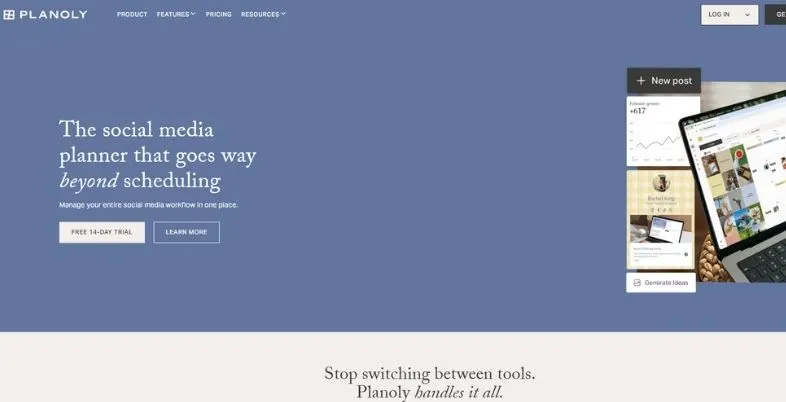
Planoly is a tool created for creators who want to pay attention to the aesthetics of their feed. Its most impressive aspect is the visual grid planner — you can drag posts around and see how it will appear before they go live. It also features scheduling, a link in bio page, Instagram DM automation and basic analytics. It’s compatible with Instagram, TikTok, Pinterest, YouTube, Facebook, LinkedIn and Threads, letting a creator plan all content in one place.
In 2026, Planoly discontinued its free plan. Each of the paid plans is based on a social set, a collection of profiles, and the price of each plan is $16, $28 and $55 per month, depending on the billing cycle. It’s inexpensive, but the analytics is not very elaborate and some users on review websites claim that posts can occasionally not be published. A great way to do this is by planning on Planoly and then getting deeper numbers on Instagram Insights or Metricool.
Ideal for individuals and small eCommerce stores. Now that the free plan has been removed, take advantage of any trial prior to paying. Verify the cheapest plan’s monthly uploads limit, and see if it’s sufficient for the amount of posts you make. For those that sell products, the link in bio page and DM automation can save you time, making the lower price point much more viable.
Key Features
- Visual grid planner
- Instagram DM automation
- Link in bio page
- Basic analytics reports
Pros
- Best grid planning
- Low starting price
- Creator friendly
Cons
- Basic analytics only
- No free plan
- Mixed publishing reviews
Pricing: From $14 a month.
Website: https://www.planoly.com
11. Rival IQ
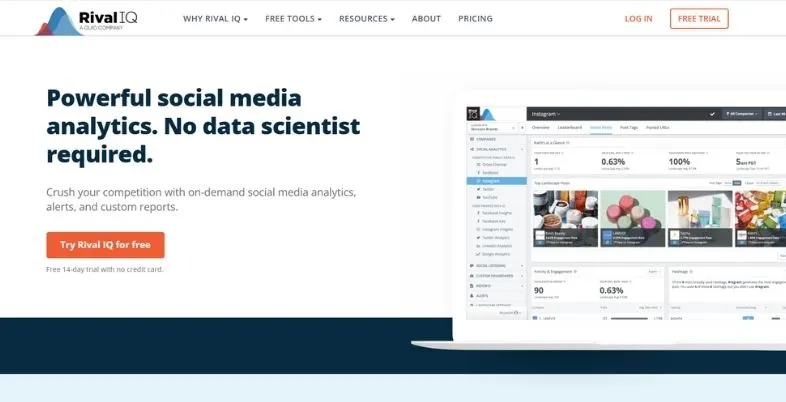
Rival IQ is designed to be used for competitive analysis. You enter your brand, as well as your competitors, and it will provide you with their Instagram and other social media performance. It measures engagement, posting frequency, hashtags and top-performing content, and can conduct speedy audits revealing where you are lagging and where you’re ahead. The transparency of the charts and the ability to use numbers and transform them into easy-to-understand results are appealing to marketers.
Rival IQ is a paid product! The exact price of plans depends on your needs, plans start around $239 per month from third party sites with higher plans up to $559 per month. Currently there’s a free trial of 14 days, but no free plan. Capterra and other sites have reviews that state that it’s a more costly social tool than the average tool. It’s perfect for agencies and middle-business brands that can afford a proper marketing budget and are looking for in-depth competitor research, rather than looking for simple stats just to do it for the sake of it.
If you’re an agency worker, perform an audit for one of your clients and two of his/her competitors to perform the trial. Once you have an idea of how long it takes to get a clear answer, and if the charts can be used in a deck, see how long it takes to get a clear answer. Don’t assume the price; ask the sales team for the actual price that it will take to meet your requirements, as it is not completely transparent.
Key Features
- Competitive benchmarking
- Fast social audits
- Hashtag and content insights
- Industry comparison reports
Pros
- Deep competitor analysis
- Clear visual charts
- Quick audit tools
Cons
- High starting price
- No free plan
- Too much for beginners
Pricing: Starts at $239/month
Website: https://www.rivaliq.com
12. Pallyy
Pallyy is a low cost planner and analytics tool, which has evolved from an Instagram scheduler. It has a visual calendar as well as it features a grid planner, a social inbox and social analytics for Instagram, Facebook and LinkedIn. The free plan allows you to post up to 15 posts per month, includes 1 social set and the basic analytics for the past 30 days and a comparison to 1 Instagram competitor. That’s sufficient for a user who’d like to use the tool for testing purposes.
Paid plans are based on a social set, which is dependent on the quantity of brands you deal with. Pricing information on the pricing page shows that all their plans start at $15 per month except Scale, which costs $199 per month, pro at $25 per month, agency at $99 per month, and scale at $199 per month, and all plans offer a 14-day free trial with no card required. The Pro plan does not have a post size restriction, and offers 5 years of analytics.
The downside of it is that it only provides analytics for Instagram, Facebook and LinkedIn. There are two prices being offered on Pallyy’s site – be sure to check before you purchase the live page. Also, the free plan will maintain only the past 30 days of history, whereas Pro will maintain 5 years of history. For clients, check the Agency plan, which includes additional client reports and clientable social sets. Try out three networks, with the 14 day trial and see if the analytics are adequate.
Key Features
- Free plan available
- Instagram grid planner
- Five-year analytics history
- Competitor comparison
Pros
- Very low price
- Long history on Pro
- Real free plan
Cons
- Analytics cover three networks
- Extra sets cost more
- Pricing can confuse
Pricing: Starts at fifteen monthly.
Website: https://pallyy.com
Pricing Compared
| Tool | Starting Paid Price | Free Plan |
| Instagram Insights | Free | Yes |
| Iconosquare | €33 (yearly billing) | Trial, limited free plan |
| Sprout Social | $79 per seat (yearly billing) | 30-day trial |
| Hootsuite | $99 per user | No |
| Later | $25 (monthly billing) | No permanent plan |
| Buffer | $5 per channel (yearly billing) | Yes, 3 channels |
| Metricool | $20 (monthly billing) | Yes, 1 brand |
| Socialinsider | $83 (yearly billing) | Free trial |
| Agorapulse | $79 per user (yearly billing) | Free trial only |
| Planoly | $16 (yearly billing) | No |
| Rival IQ | $239 | 14-day trial |
| Pallyy | $15 (pricing page) | Yes, 1 social set |
How to Choose the Right Tool
Prior to comparing Instagram Analytics Tools, take a few basic questions into consideration.
- Set a budget first. If you don’t have any money, then begin by using Instagram Insights, Metricool Free, Buffer Free or Pallyy Free.
- Choose your Primary Objective. Looking for a meal plan? Have a look at Planoly or Later. Desire to find out more about the competition? Check out Socialinsider, Rival IQ or Metricool.
- Count your accounts. User cost-based tools cost more when it comes to larger teams. Agencies that have a large number of small clients will want to buy tools that are sold by the brand/channel.
- See what length of time data is retained. If you’re in need of a year or more in history, check out Later, Pallyy Pro or Socialinsider.
- Select one of the tools based on the primary objective. For anyone who desires to plan their Instagram feed visually, then you may take a look at Planoly or Later. If you’re just looking to do competitor research, check out Socialinsider, Rival IQ and Metricool to see which tools best meet your requirements and budget.
- Think about Reels. Select a tool to view the views, watch behavior and shares for Reels—rather than just likes.
- Beware of paying up until you have tested. A majority of the tools will provide a free test. Take the time of at least two weeks with your real account.
- Be sure to read the fine print. The end-of-month charges for Add Ons, additional users and additional profiles can increase the bill – Read the small print. May end up in increased total costs if there are extra users and Extra Profiles.
- Correctly match the tool to the skill. It’s better for the beginners to start with a couple of charts and simple screens. Those who like data will have to invest more time to master them and have the options to select tools with custom reporting and export.
- Think about growth. Choose a plan that will scale upwards, but will not require you to shift all of your data to a different location when your account grows.
Is It Safe to Connect Your Instagram Account? (Checklist)
There are good Instagram Analytics Tools that take your Instagram’s official connection, so that your password will not be shared. Prior to connecting any account, check off the items on this checklist.
- If you are linking an analytics tool, be sure to follow Instagram or Meta’s proper authentication process. Always verify the website URL and do not input your Instagram password on a third party website.
- Doesn’t require you to enter your Instagram password in a form.
- You are signing in to an Account for Business or Creator.
- You see and read what permissions the tool is requesting.
- This company has a definite privacy policy and actual help team.
- Two Factor Login has been enabled on your Instagram account.
- You have a robust password which you don’t use anywhere else.
- You looked at recent reviews (on a site such as G2, Capterra or Trustpilot).
- You’ll know how to get rid of the tool when you go to the Instagram settings.
- Do not use the tools that claim to give you fake followers, fake likes or information from the private profile-viewer. Such statements can be deceptive, and can compromise the security of your account.
Conclusion
But if you don’t take action on that Instagram data then what good is it to you? It isn’t enough to just post a tool, it needs to help you grow your account, as well as inform you of posts you should be posting more of, and what you might skip and when. Get the basics, know what your numbers are and then determine if you do need a paid plan.
To most the way is easy. For a start, go to Instagram Insights. For a more competitive tracking and/or more of a history, use Metricool or Pallyy on their free plans. If you are in need of client reports, or work with a team, you should consider going with Iconosquare, Agorapulse or Sprout Social. Socialinsider or Rival IQ are the better options, if you’re primarily interested in competitor research, but are more expensive.
Instagram Analytics Tools are evolving rapidly, some plans have been eliminated from being free, and others have become smaller. Use a free trial and make sure to observe the actual price. There are various tools to choose from today and you can choose your tool based on your budget and goal, and change them down the road as your account progresses. Keep your aim basic: Post, count the numbers, learn something, post again and so on. That little thing is more beneficial than any expensive plan to your account.
Also Read: Anonymous Instagram Story Viewer
FAQs
Which of the free Instagram analytics tools is the best?
Instagram Insights is the most basic number, and is part of the Instagram platform. For the competitor tracking, Metricool’s free plan offers 5 competitors’ profiles with 30-days of history. There are also free plans for Pallyy and Buffer, but they don’t support analytics to the extent that the other plans do.
Do I need to have a business/creator account?
Yes. Instagram Insights, as well as virtually any analytics tool will require a Business or Creator account. There is no way to get Insights for personal accounts. The Instagram settings don’t charge for switching and are relatively swift. Other tools require public accounts and for demographic data, a minimum of 100 followers is required.
Are there analytics tools which can view my competitors’ data?
Only public data. You can use metrics such as Metricool, Iconosquare, Socialinsider and Rival IQ to monitor public metrics (likes, comments, posts, followers, etc.) of other business accounts. They don’t have access to any private information such as reach, saves or audience age of accounts which are not your own.
What is the oldest date that you can find on Instagram Analytics?
The data on Instagram are stored for a certain period of time using Instagram’s own tools. Many of the account level numbers do not have an official data that is available for more than 90 days. Once you’ve linked up a third party tool, it will be able to save your numbers for longer. Later has upto 2 years on top plans and Pallyy Pro retains 5 years.
Can I choose to link Instagram accounts to analytics?
Yes, it is given that the tool utilises Instagram’s official logon and you go through the permissions. Don’t provide your password in a form. When you are not using Instagram anymore, you can remove the tool from Instagram settings (make sure to be logged in with two-factor login enabled), read reviews, and turn off Instagram. If ever a tool prompts you to type your password on its own, do not do so and leave that page as that is not the way to connect. Regularly review connected apps list – monthly or every few months.
What would be the best tool for Reels analytics?
Make sure to first look at Instagram Insights, as it now has a share rate and skip rate metric for Reels. If it’s something that you pay for, Iconosquare and Metricool show you the reports on the Reels clearly, and allow you to compare results over time. Verify the Reels data on the trial, to confirm that it is suitable for you.
The ideal engagement rate for Instagram is 2-5%.The benchmark for engagement rate on Instagram is 2-5%.
It has to do with size of accounts and niche. Many reports estimate the average to be around 0.5 – 2 per cent; above 3 per cent is typically considered to be good. It’s often the case that smaller accounts will have better scores. The steps to work out are to add likes, comments, shares and saves, divide by your followers, and then multiply by 100 to get the percent.
So, what is the best tool to use for Instagram analytics for agencies?
Agorapulse is a popular inbox solution for agencies, offering white label reports and shared inbox. If you’re part of a larger team, then Sprout Social or Hootsuite would be ideal. If you need reports on your competitors, then Socialinsider is good. In case of limited budget, Metricool’s Advanced option is available that will allow you to handle up to 50 brands, also Pallyy Agency is less expensive.
